


Strengthen Your Faith
with the Word of God.
With the Robora app, you can strengthen your faith by listening
to the living Word of God. You will receive Bible verses at
random intervals, based on your situation.


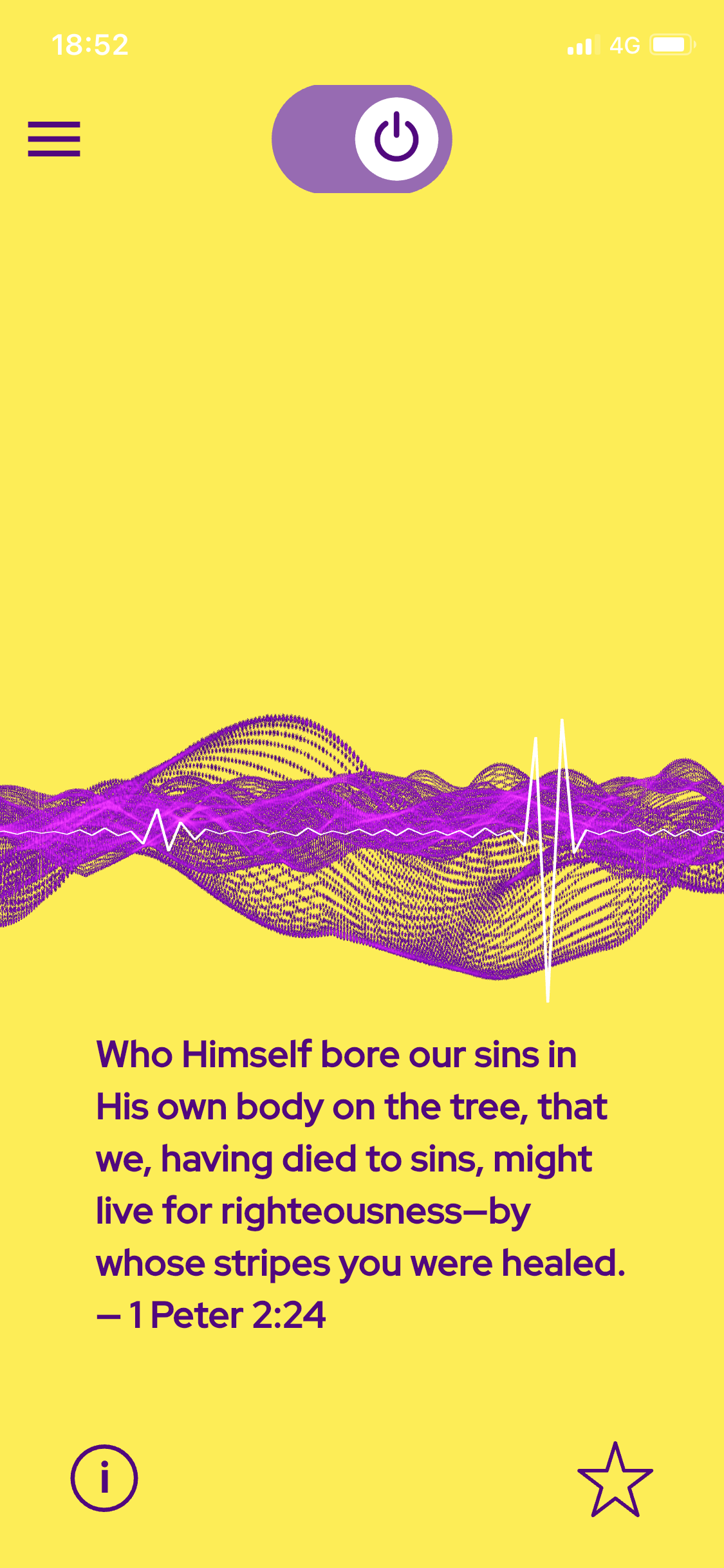
Robora app delivers audio Bible verses based on your needs. You'll receive passages at random intervals, but you can easily adjust the pace in the Profile menu to fit with your activities.
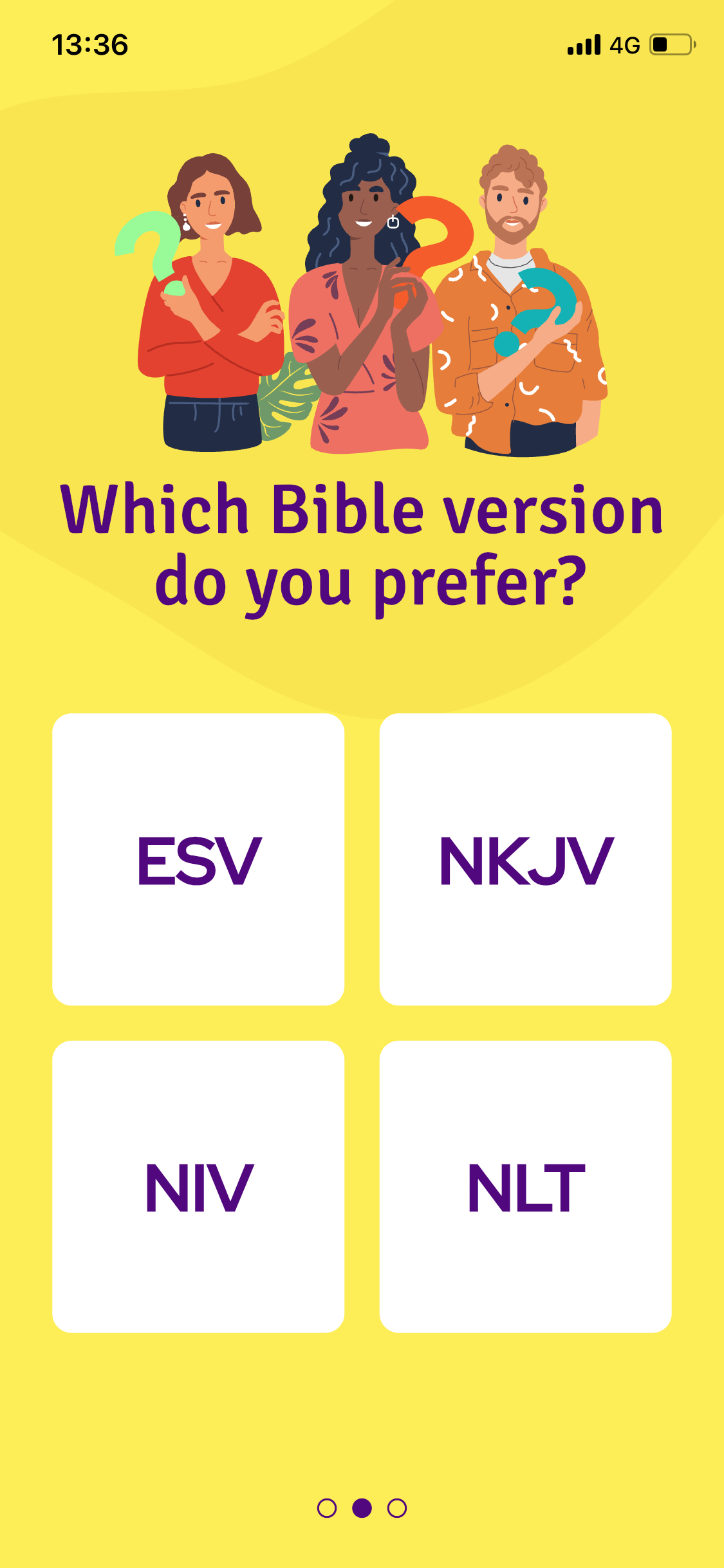

You can choose your favorite translations and listen to Bible verses whenever and wherever you want!
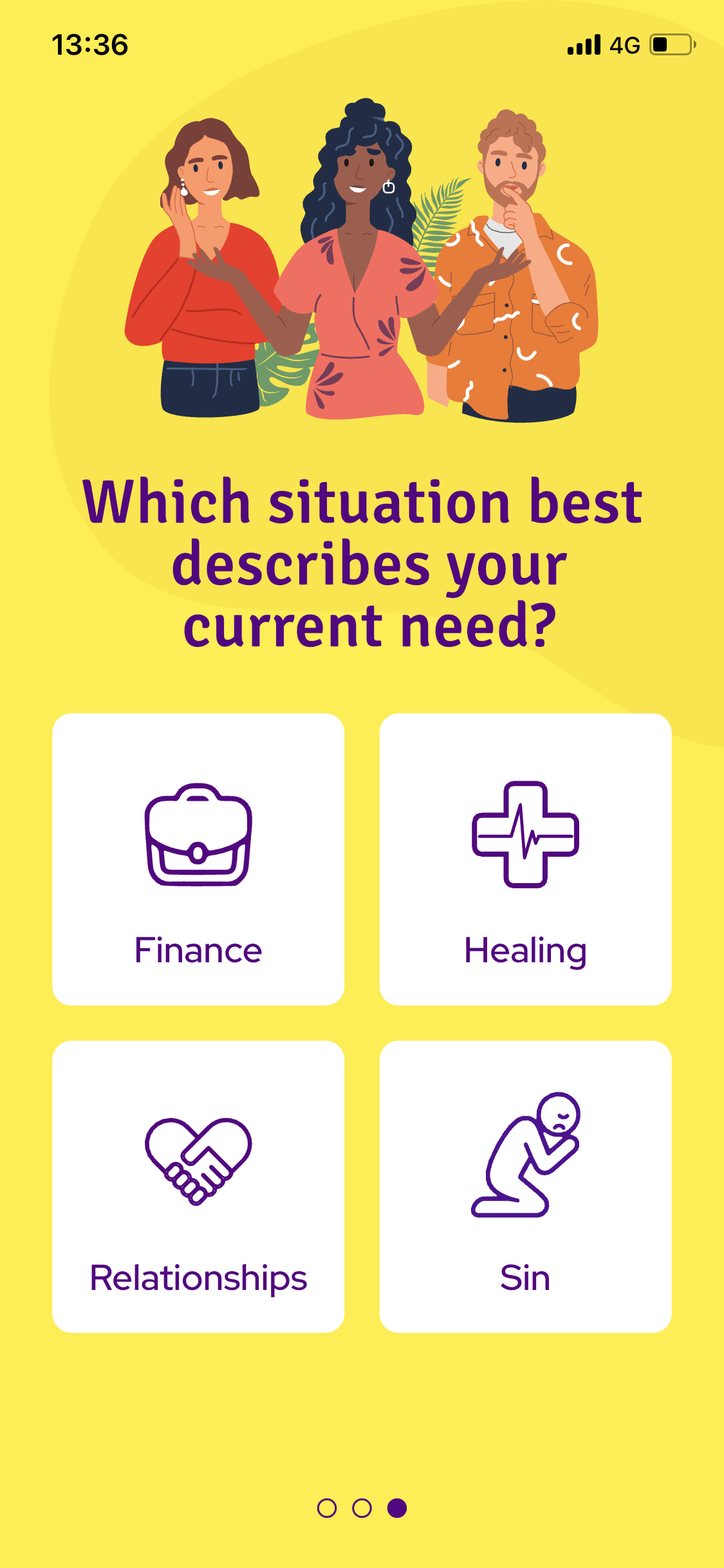
You can choose up to four situations and receive hundreds of Bible passages tailored to your needs.
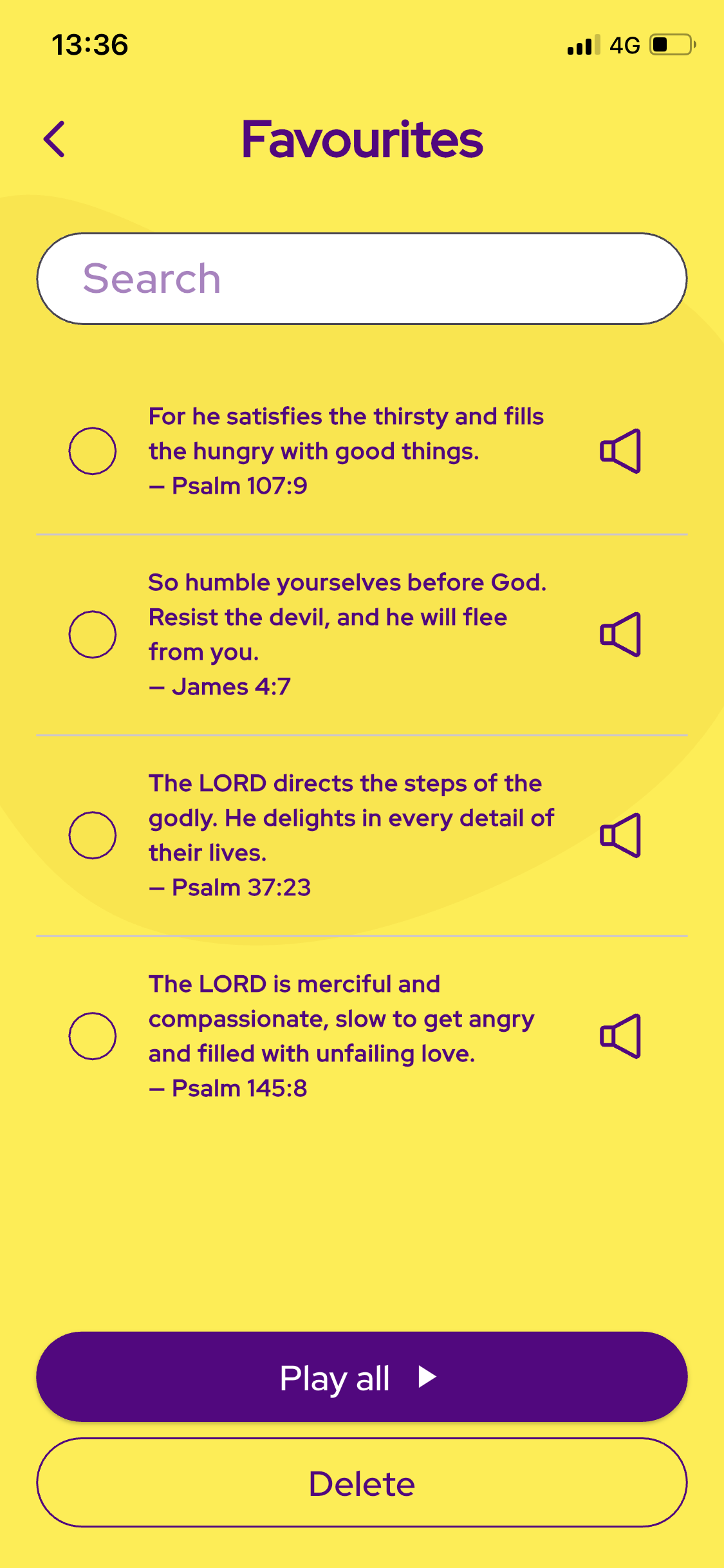

You can save your favorite Bible verses, create a custom playlist, and replay them anytime.
Frequently Asked Questions
(FAQ)
-
Robora is an app that sends audio Bible verses to help you grow in faith and understand different aspects of life from a biblical perspective. You can set your current situation and receive Bible verses based on that, to help you stay close to God and understand the journey of walking on the narrow road with Jesus Christ.
-
Simply activate the app by turning on the switch at the top of the main page. You’ll receive audio Bible verses at random intervals to inspire you in various aspects of life, including relationships, healing, temptation, and finances.
-
Users can easily choose their preferred Bible versions and current situation in two ways. First, when opening the app, you’ll be asked, “Which Bible version do you prefer?” Here, you can choose from translations. The next question, “Which situation best describes your current need?” allows you to select areas such as Finance, Health, Relationships, and Sin.
Alternatively, you can update your Bible versions and situation at any time by navigating to the Profile menu.
This flexibility helps personalize your experience so you can receive the most relevant and uplifting Bible verses. -
You will receive audio Bible verses at random intervals. You can customize how often you want to receive Bible verses by adjusting the slider in the “Bible Verse Frequency” section located in the Profile menu of the app.
-
You can save your favorite Bible verses by tapping the star icon located in the lower-right corner of the main page. Saved Bible verses can be accessed anytime in the Favorites menu, where you can also replay them whenever you want.
-
The app offers a free version that allows users to use the app for 7 minutes every day. For unlimited access you can subscribe to our premium plan. Details of the subscription plans are available in the Subscription menu of the app.
-
To register, navigate to the Profile menu and scroll down to find the ‘Register’ or ‘Log In’ button. Click on it to open the Log In page. At the bottom of this page, just above the Log In button, you'll see the question 'Don't have an account?' Click on 'Register' to be directed to the registration page.
-
If you want to log in, log out, or delete your account, go to the Profile menu in the app. Once you're in the Profile menu, scroll down to the bottom of the page. Here, you will find the 'Log In', 'Log Out', and 'Delete Account' buttons. Use these buttons to manage your account, whether you need to log in, log out, or delete your account entirely.
-
We take your privacy seriously. All your data is securely stored and is not shared with third parties. For more details, please read our Privacy Policy in the app.
-
We’d love to hear from you! If you have feedback or questions go to https://roboraforchrist.com/contact